Welcome to GenieCRM™
GenieCRM™ is the central hub of your MLS Genie™ platform. Every lead, task, pipeline deal, drip campaign, and team communication runs through it. This guide walks you through the core areas so you can get productive immediately.
Accessing GenieCRM™
Log in to your WordPress site as normal. You will be automatically redirected to the GenieCRM™ dashboard. The CRM runs in its own secure shell — it does not share any interface with your public website.
The navigation bar
The left navigation bar contains every module in this order: Tasks → Leads → Pipeline → Contacts → GenieScout Engine → Property Intelligence → Client Alerts → Campaigns → Market Reports → GenieSocial™ → Team Chat → Team Directory → Commission → Settings. The Email Log is under Settings → Email.
Your first steps
- Go to Settings and confirm your profile details are correct.
- Visit Leads and import any existing contacts using the CSV import tool.
- Check GenieScout Engine to confirm your MLS connection is active and listings are importing.
- Set up your first drip campaign in Campaigns.
Role-based access
What you see in the navigation depends on your role. Agents see their own leads and tasks. Managers see all team leads. Administrators have access to every module including Settings and Commission Manager.
What's New
When MLS Genie™ ships something new, a What's New window appears the first time you open GenieCRM™ afterwards. The announcement also stays in the bell at the top of the screen.
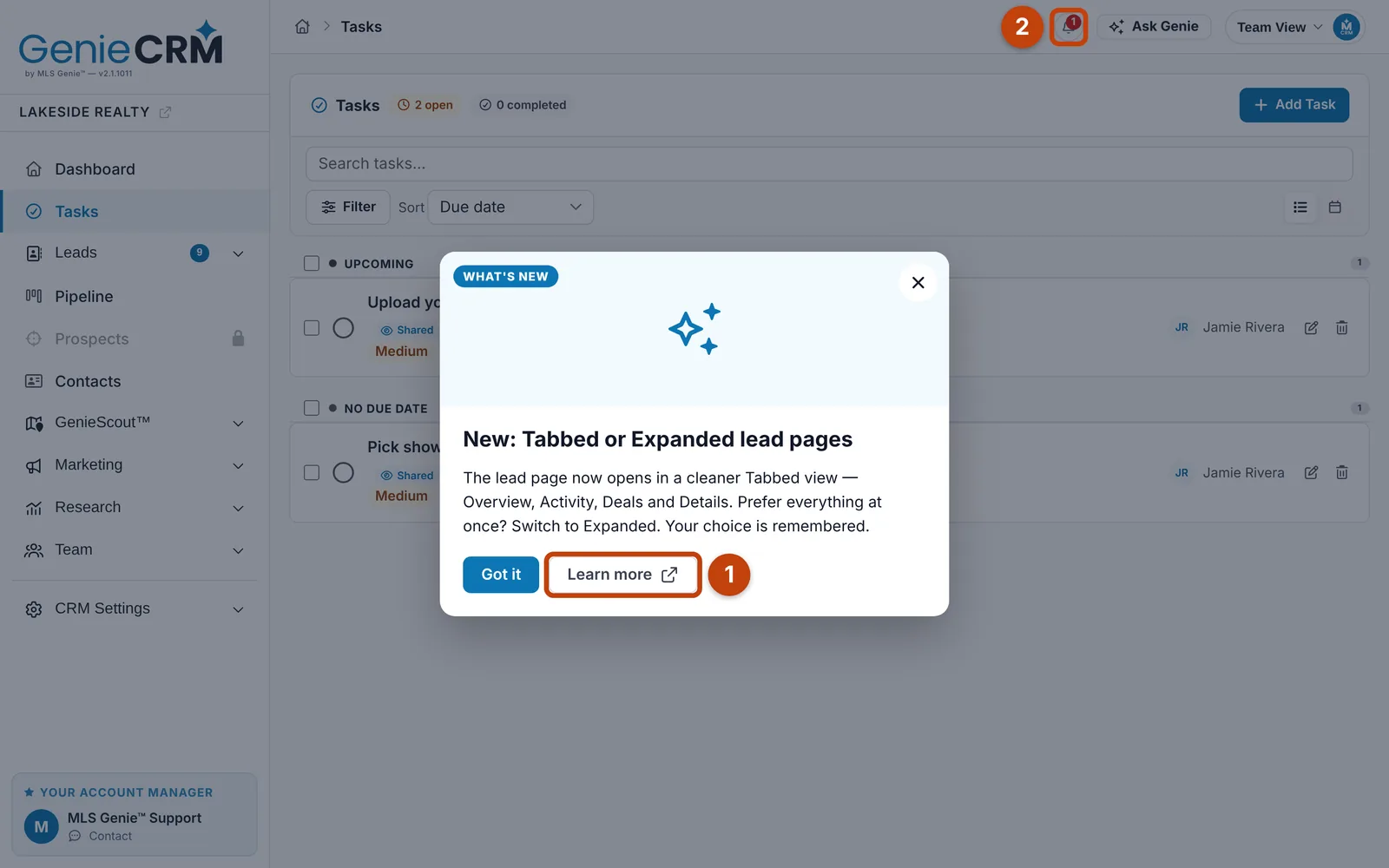
- Learn more opens the guide for it.
- The bell keeps every announcement.

