Sending a document for signature
On a deal's Documents, click Send for signature beside any PDF. A window opens with the document's pages.
- Signers — add the client, anyone in their household, yourself, or anyone else by name and email. Clients with a portal sign in it; anyone else signs from a private email link with a code sent to their email. Leave Sign in this order on to have each person asked only after the one before has signed.
- Fields — choose the signer, choose a field (Signature, Initials, Date signed, Name, Text or Checkbox), then tap the page where it goes. Drag a field to move it, drag its corner to resize it, or select it and use the arrow keys; Delete removes it. Every signer needs at least one signature field.
- Send for signature, then Yes, send now. Or Save draft and finish later with Continue.
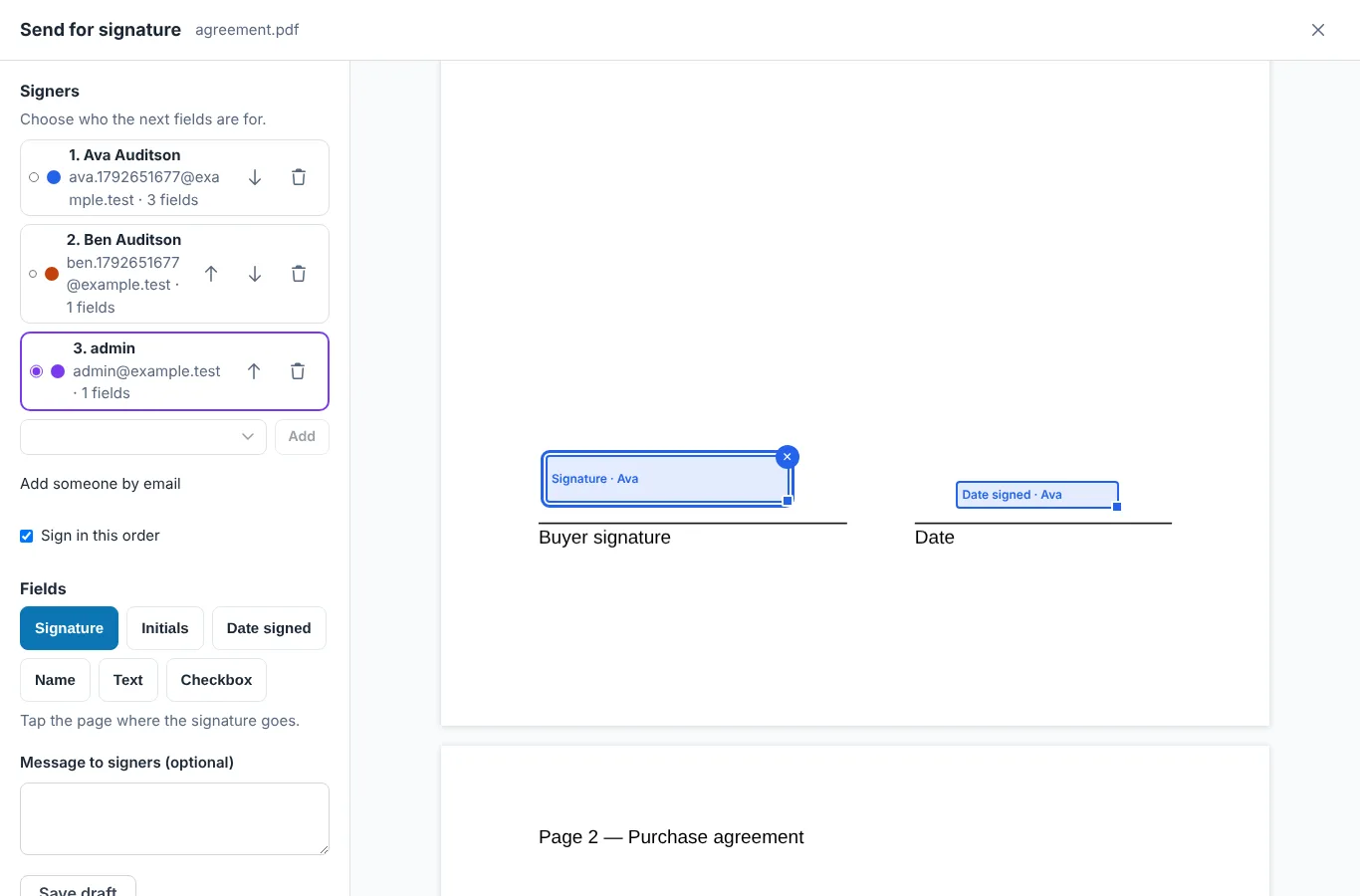
- Signers — the one selected gets the next fields; arrows change the order.
- Fields — choose one, then tap the page.
- A placed field, in its signer's colour. Drag to move, corner to resize.
- Send for signature asks once more before emailing anyone.
What signers see
Each signer gets an email with a Review and sign button, a push in their portal, and the request on My Deal. Before anything else they read and accept the agreement to sign electronically, which tells them they can ask you for a paper copy at no charge and how to withdraw. Then they go field to field: Next field takes them to each one, they adopt a signature once, typed or drawn, and tap each signature field to sign it. Date and name fill in on their own. Finish checks nothing required is left.
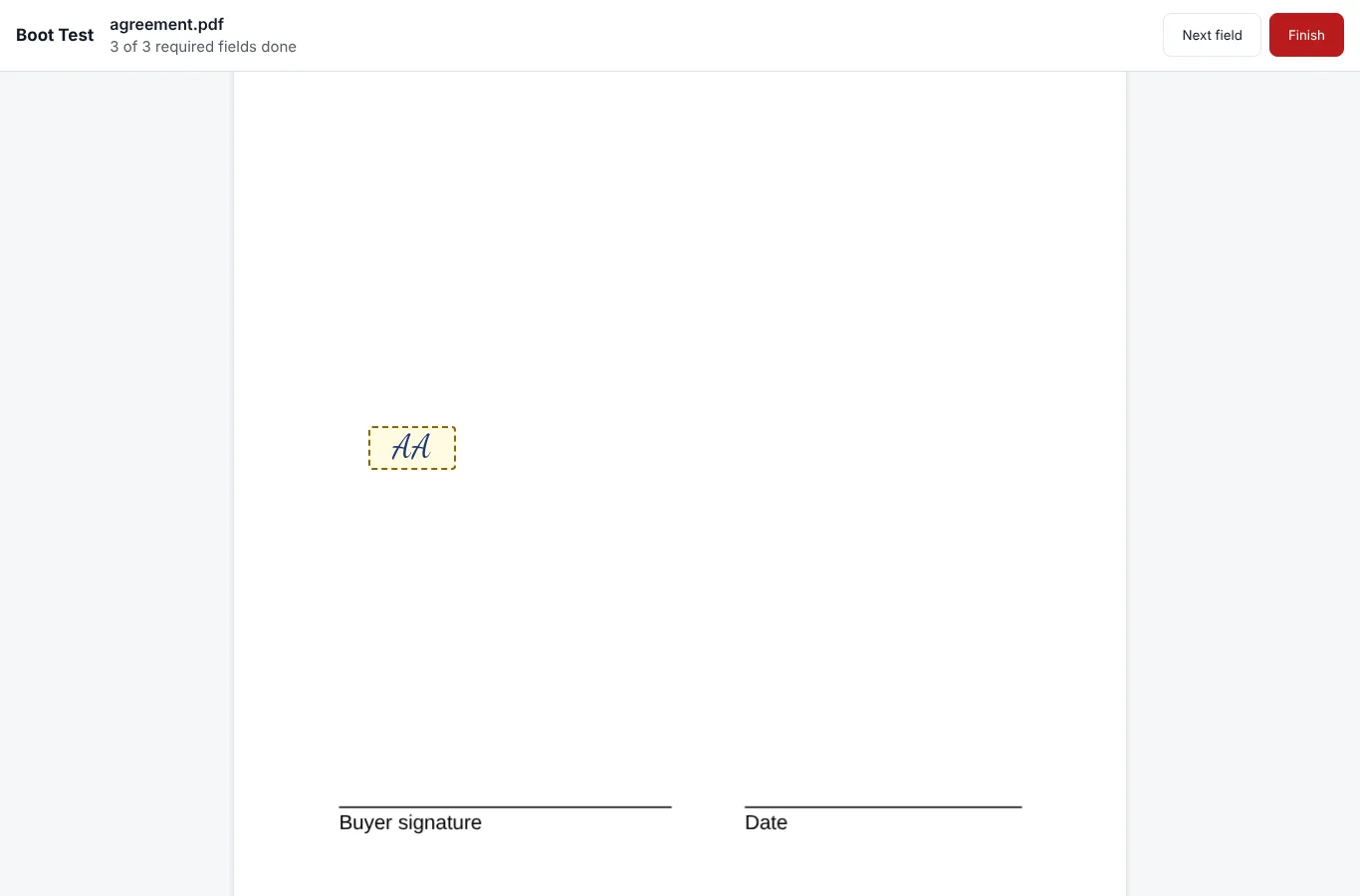
- How many required fields are done.
- Next field and Finish.
- A field already signed, with the adopted signature.
When everyone has signed
The signatures are drawn into the PDF itself. The signed copy keeps every byte of the original at its start, and the deal gets two new documents: (signed) and (certificate), shared with the client. Every signer is emailed a link to download both.
The certificate of completion records the document, both fingerprints (SHA-256) of the original and the signed copy, and for each signer how they were identified, when they agreed to sign electronically, viewed and signed, how their signature was made, their IP address and device. It ends with the agreement they accepted and the full event history.
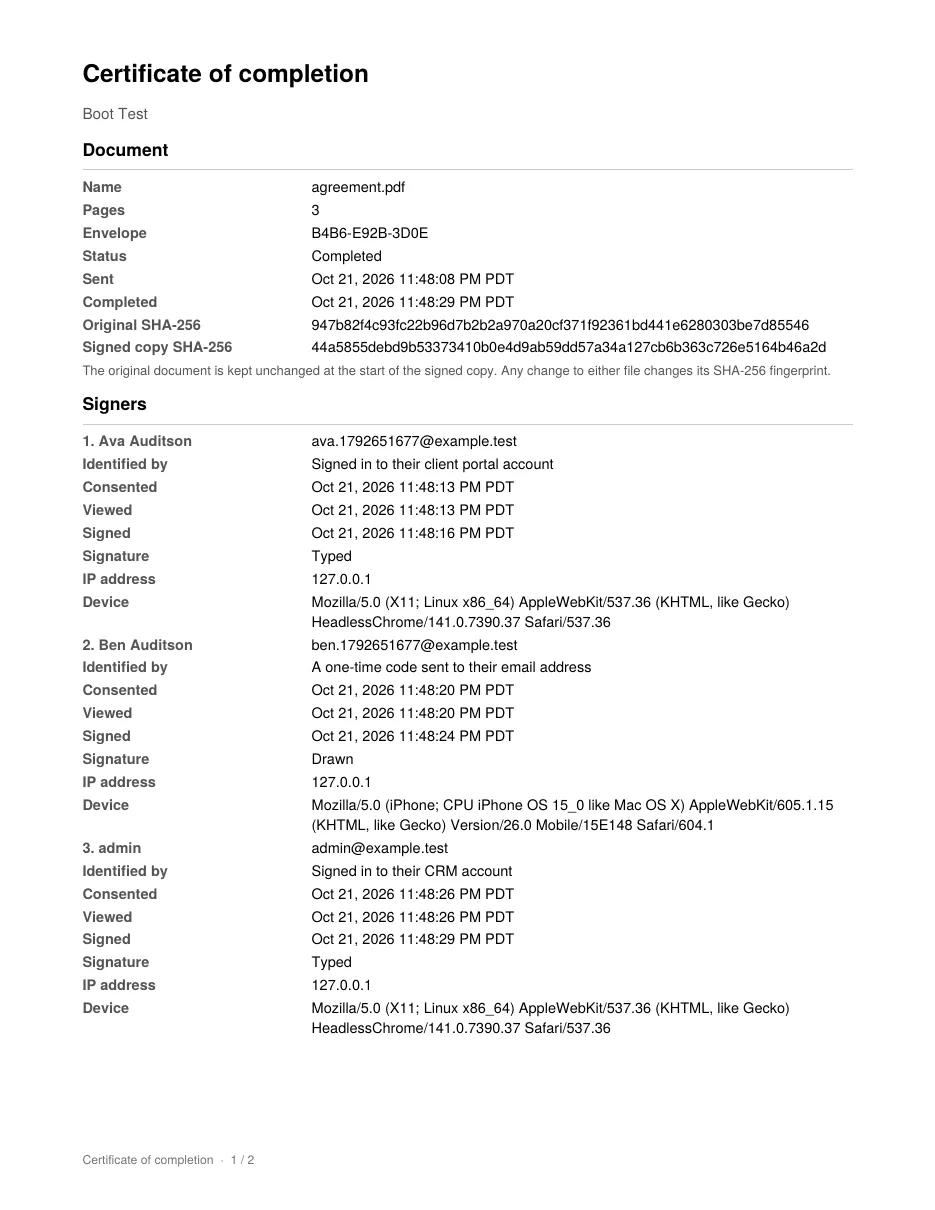
- The document and both fingerprints.
- Each signer: how they were identified, and when they consented, viewed and signed.
Following up
- The deal's Signatures list shows each request and where every signer is. Remind emails whoever is waiting to sign; reminders also go on their own every two days, three times at most.
- Sign now appears when it is your turn to sign.
- Cancel ends a request and tells the signers. A request still open after 30 days expires.
- If a signer declines, the request ends and you are told why.
- A document out for signature cannot be removed until its request is cancelled.
You are told by push and email as each person signs, declines, or when everything is signed. Turn these on or off under Someone signs a document I sent in your notification settings.
What it is for
Electronic signatures are valid for most real estate paperwork under the federal ESIGN Act and the state laws based on the Uniform Electronic Transactions Act. Anything that must be notarized or recorded with the county, such as a deed, is not signed here. Password-protected PDFs need the protection removed first.

