At sign-up
Whether a client uses the sign-up page, the sign-up pop-up or signs in with Google, they answer three things: I am a, their mobile number, and whether they want email and text updates. The opt-in boxes start unticked, and both answers are saved to the lead's consent history, including a no.
The I am a choices are one list, edited in GenieCRM › Settings › Lead Types or MLS Genie › Website Forms. Sign-up, the client portal, the Type field when adding or editing a contact, and any form dropdown set to use the list all offer exactly that list, and a client's answer and their lead's Type always match. Each choice has a Show box — a hidden choice is no longer offered but still shows on every contact who has it — a Creates a lead box: unticked, a sign-up is kept in Nurturing without new-lead alerts, and a website form only emails your team — and, with Contacts, an Adds to Contacts box, which files somebody who picks that choice on a website form in Contacts instead of the funnel. Renaming a choice renames it on every contact.
Signing in with Google
Google shares a name and email only. Straight after a Google sign-in, a short Finish your account step asks the rest. It has no close button: the client can choose Keep browsing for now and go on searching homes, but saving a home or a search brings the step back, and the save goes through as soon as they finish. Their client portal is open straight away; until they finish, the dashboard shows the same questions and every other portal page a Finish your account reminder bar.
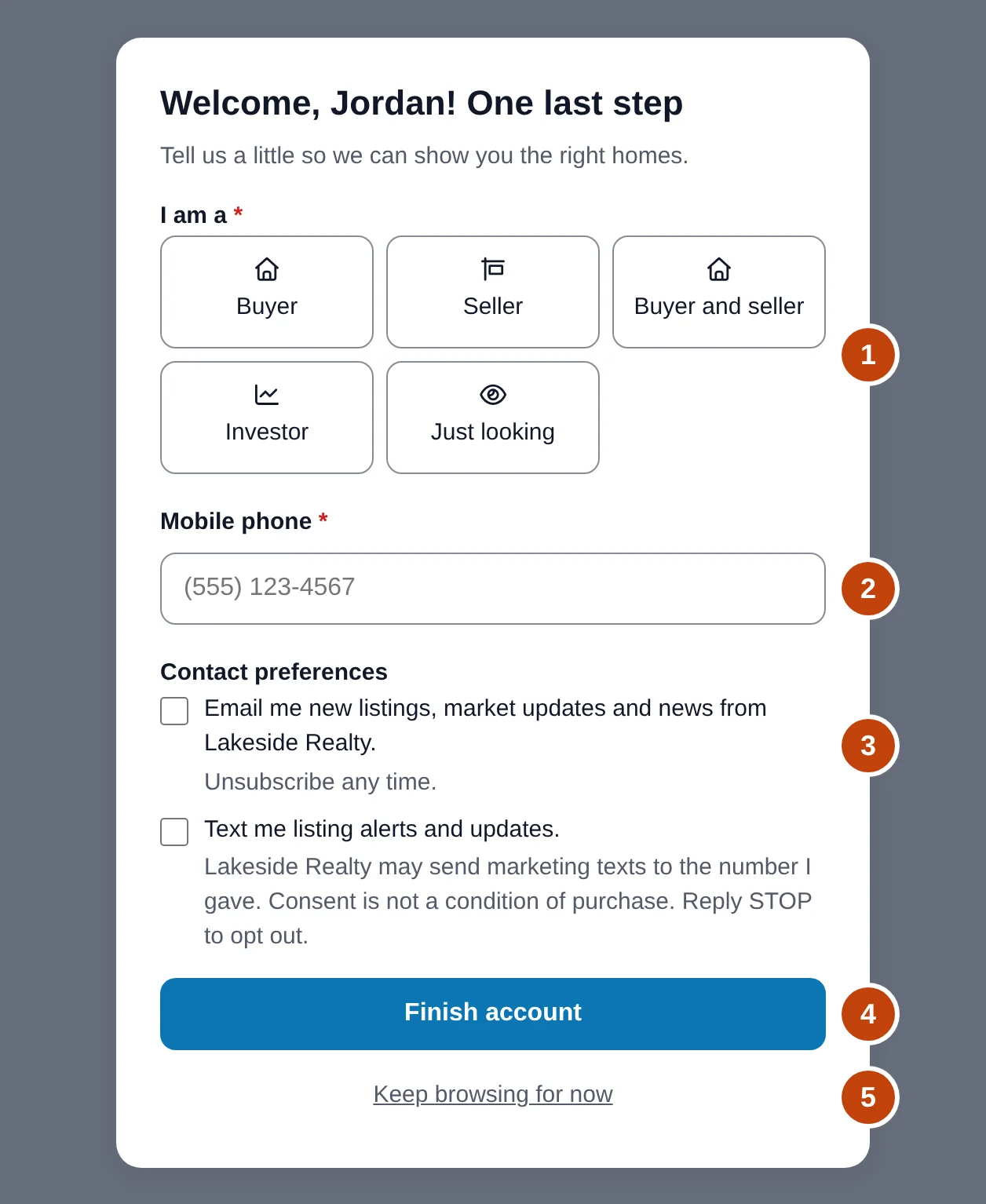
- I am a — your Lead Types list.
- Mobile phone — required unless you turn it off.
- Email and text opt-ins, both unticked.
- Finish account — anything they were saving goes through.
- Keep browsing for now — the only way out; saving brings the step back.
Your team is told straight away
Every sign-up is announced the moment it happens, by email, phone alert and the CRM bell, whatever the client chose for I am a and whether or not they have answered yet. The assigned agent is told; while nobody is assigned, the addresses under GenieCRM › Settings › Notifications › Agency notifications get the email and the whole team gets the phone alert. Turn it off there with Tell us the moment someone signs up on the website; each person can mute it for themselves in My Notifications under Someone signs up on the website. The reminders that chase an unopened lead still wait until a sign-up says what it is here for.
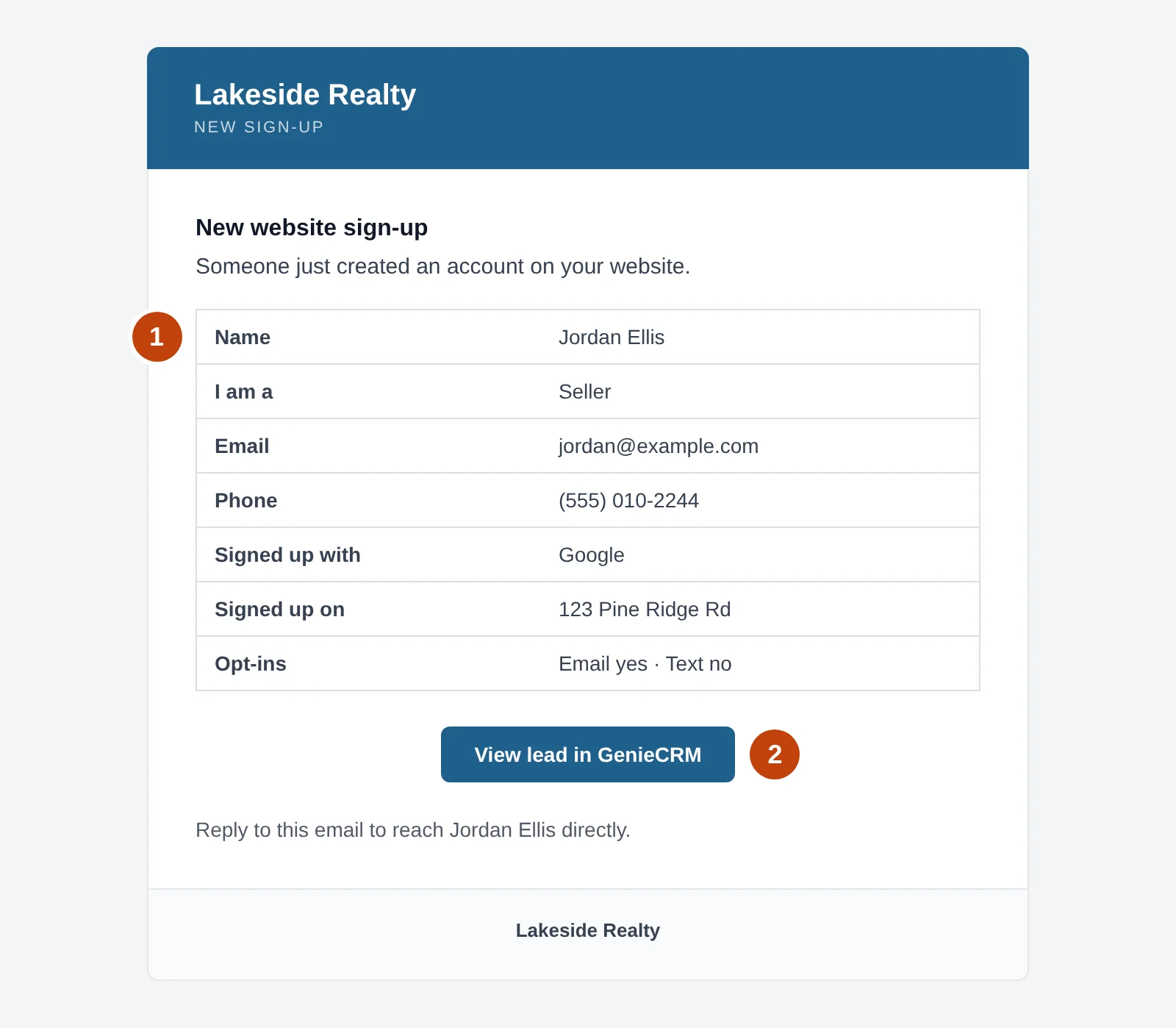
- Who signed up, their I am a answer (or Not answered yet), how and where they signed up, and their opt-ins.
- View lead in GenieCRM opens the lead. Replying to the email reaches the client.
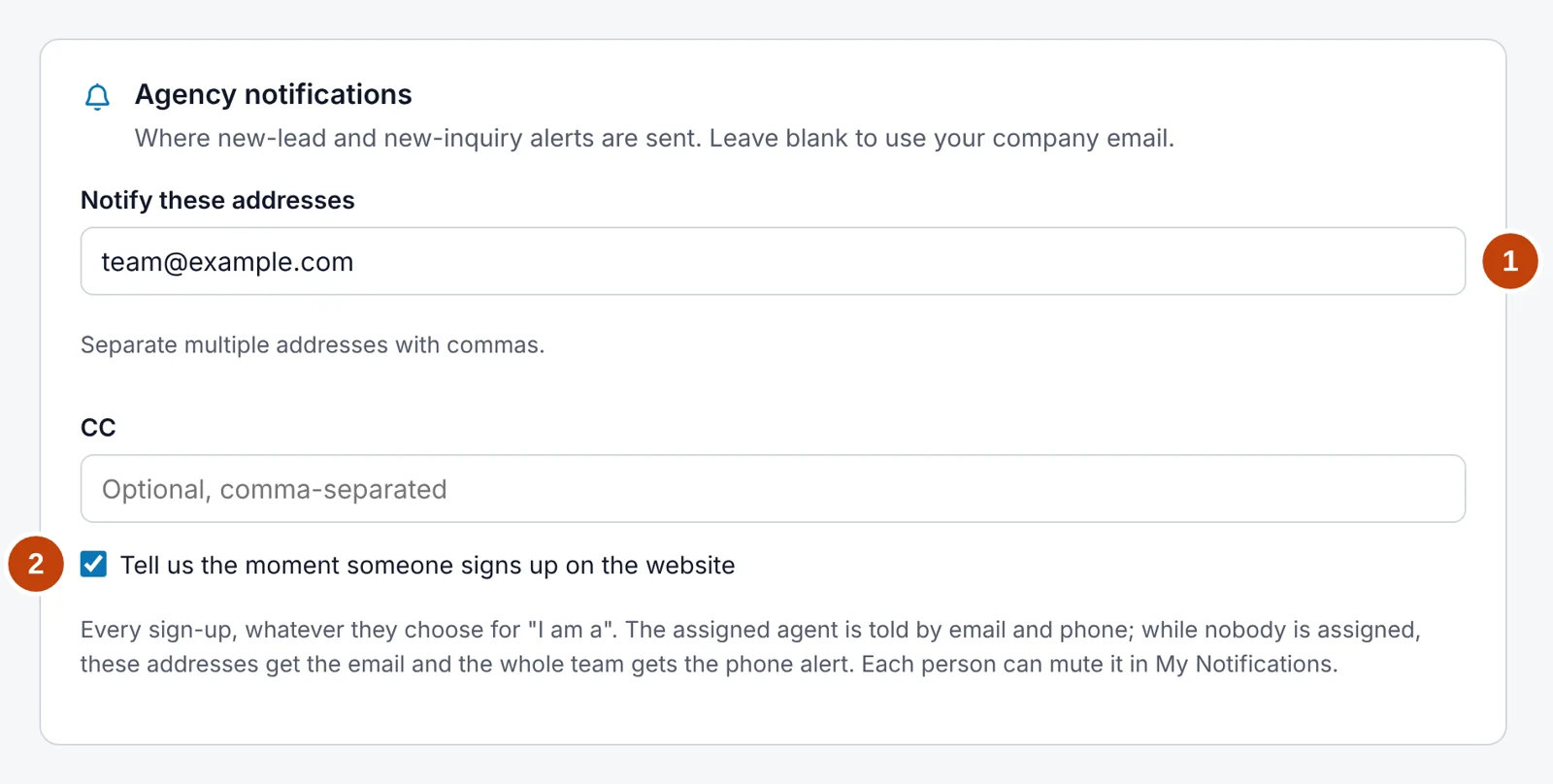
- Where the email goes while nobody is assigned.
- Tell us the moment someone signs up on the website — on by default.
Accounts from before GeniePortal
A visitor account created before GeniePortal — through your theme's own sign-up, for example — becomes a GeniePortal client the next time it signs in. It keeps everything it had, is linked to a lead in GenieCRM™, and is asked the same questions through Finish your account. No welcome email is sent, since the account is not new. Agent, manager and administrator accounts are never changed.
Just looking
Answers your list does not treat as a lead, such as Just looking, still keep the contact — their portal, saved homes and alerts need it — but it is placed in Nurturing and is not chased by new-lead reminders. If they later choose Buyer, Seller or Investor, the contact moves back to New.
Phone number
A mobile number is required by default so your agents can call every new account. To allow sign-up without one, turn off Require a mobile number in GenieCRM › Settings › Security › Visitor sign-up. Giving a number never counts as agreeing to marketing texts — only the text opt-in box does that.
Welcome email
Every new account gets one welcome email. A client who finishes sign-up gets it straight away; a Google sign-up gets it when they finish their account, or a day later if they have not.

