What it shows
Open Active Listings in the GenieCRM menu, just under Pipeline. It opens on For sale: the homes you are signed to sell that have not accepted an offer, Active and Coming Soon. Under contract shows the ones that have; their codes keep working while the sign is up, and their escrow is tracked on the In escrow board, which the page links to on plans that include it.
The Team View and My View switch at the top of the CRM decides whose listings you see. My View matches listings by the MLS agent ID on your profile.
Cards or a table
Cards show each home's photo, price, size, listing agent and codes. The table puts every listing on one line: the property, type, client, listing agent, list price, compensation, list date, expiry, days on market, the home's specs, showing instructions and access, and its code. Your choice is remembered on that browser. On plans without text and QR codes the page shows the listings alone.
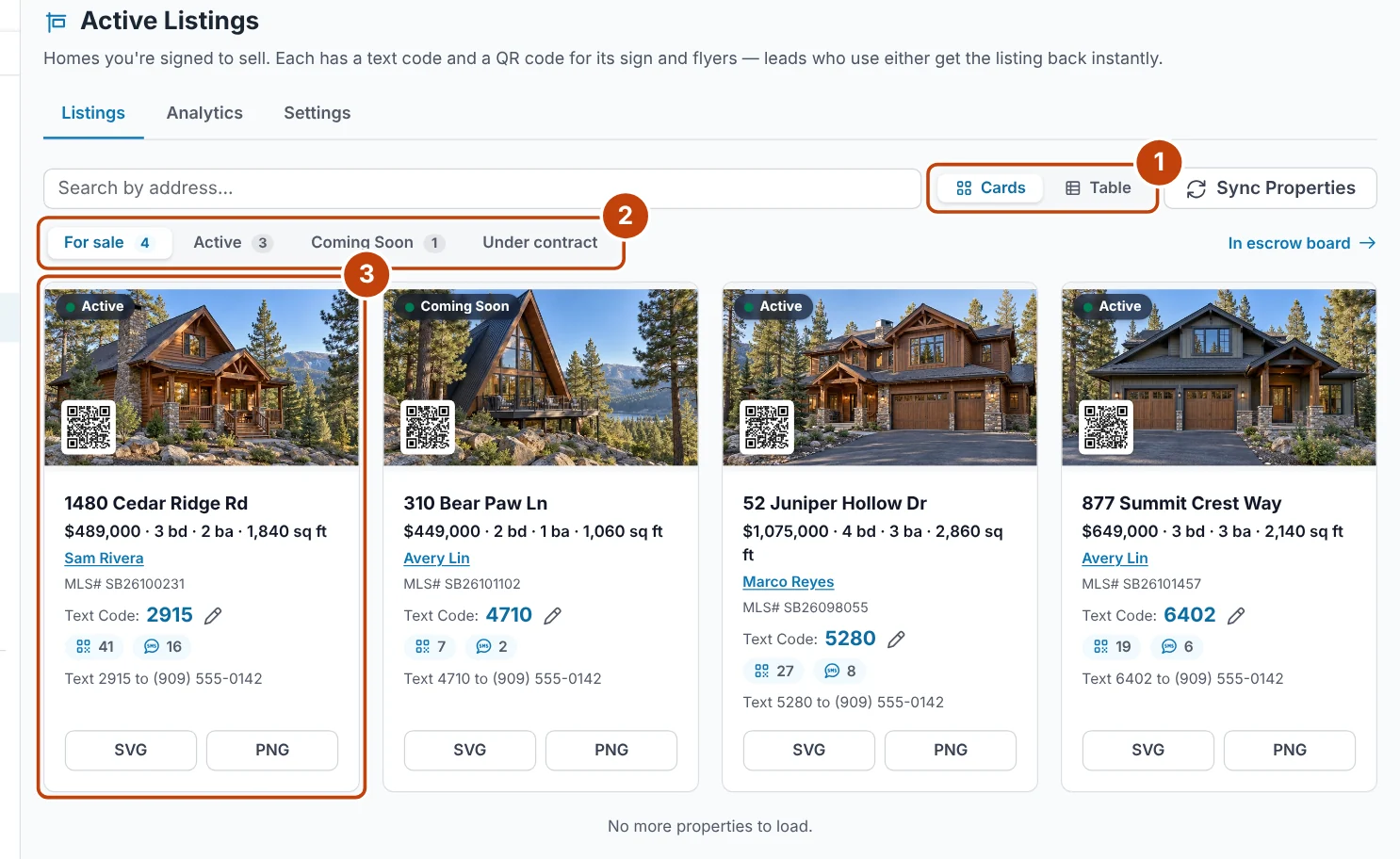
- Cards or Table switches how the listings are shown.
- For sale, Active, Coming Soon and Under contract narrow the list.
- Each card shows the home, its listing agent and its text code. Click the photo or address to open its page.
Where the details come from
The price, specs, list date and days on market come from the MLS. The client, compensation, expiry, showing instructions and access come from the seller's deal on their lead page, under the listing agreement. When one is missing the table shows Add, which opens that deal ready to fill in. Access details such as a lockbox combination are stored encrypted and shown only to people who can see that lead.
A listing with no seller linked shows Link seller. Search for the seller among your leads and pick them: a selling deal opens on the home for them, ready for the agreement's details.
A listing's own page
Click a listing's photo or address to open its page. Its text code, QR code and downloads sit under the price on every tab. Overview has the listing agreement and the home's details. Stats shows visitors, page views, saves and leads on its page on your website since it was listed, and where those visitors came from. Matching buyers lists your leads whose listing alerts match the home, and sends it to them in one step.
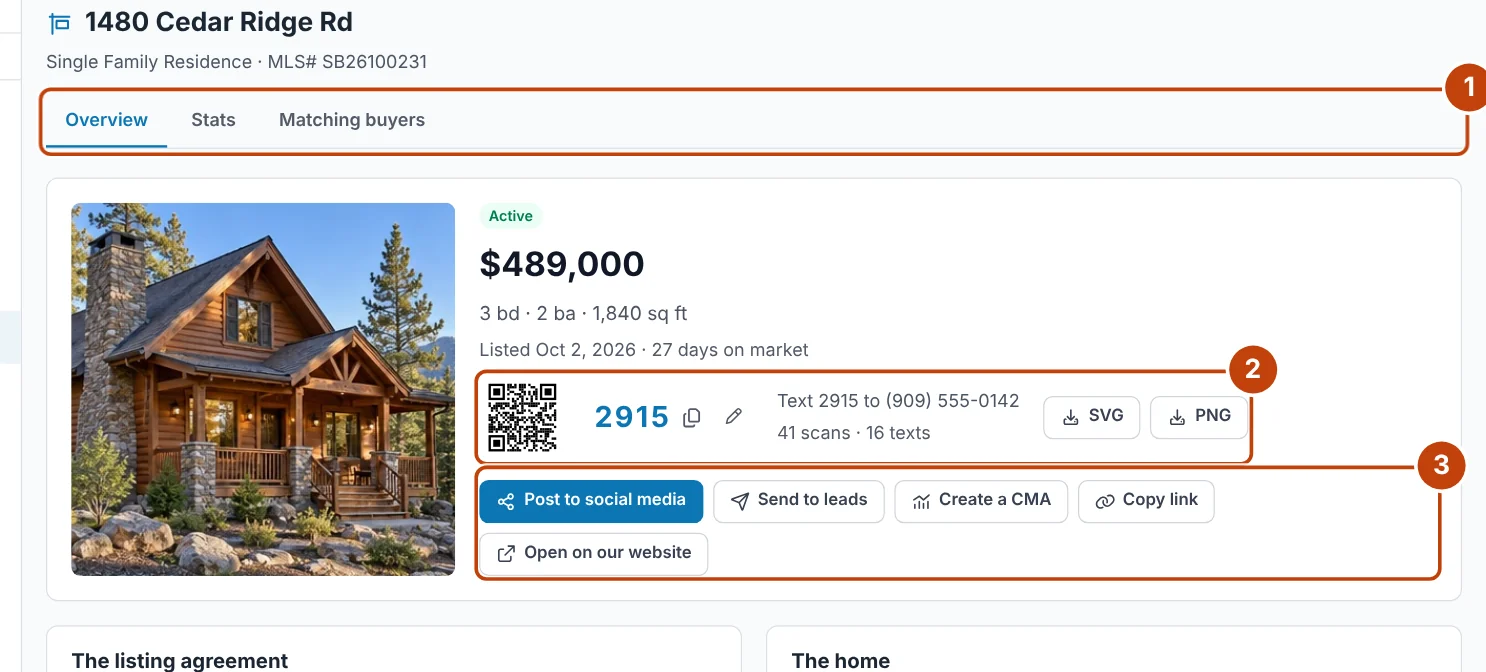
- Overview, Stats and Matching buyers are the page's three tabs.
- The text code: click it to copy, click the pencil to change it, or download the QR code as SVG or PNG.
- Share the listing: post it, send it to leads, start a CMA, copy its link or open it on your website.
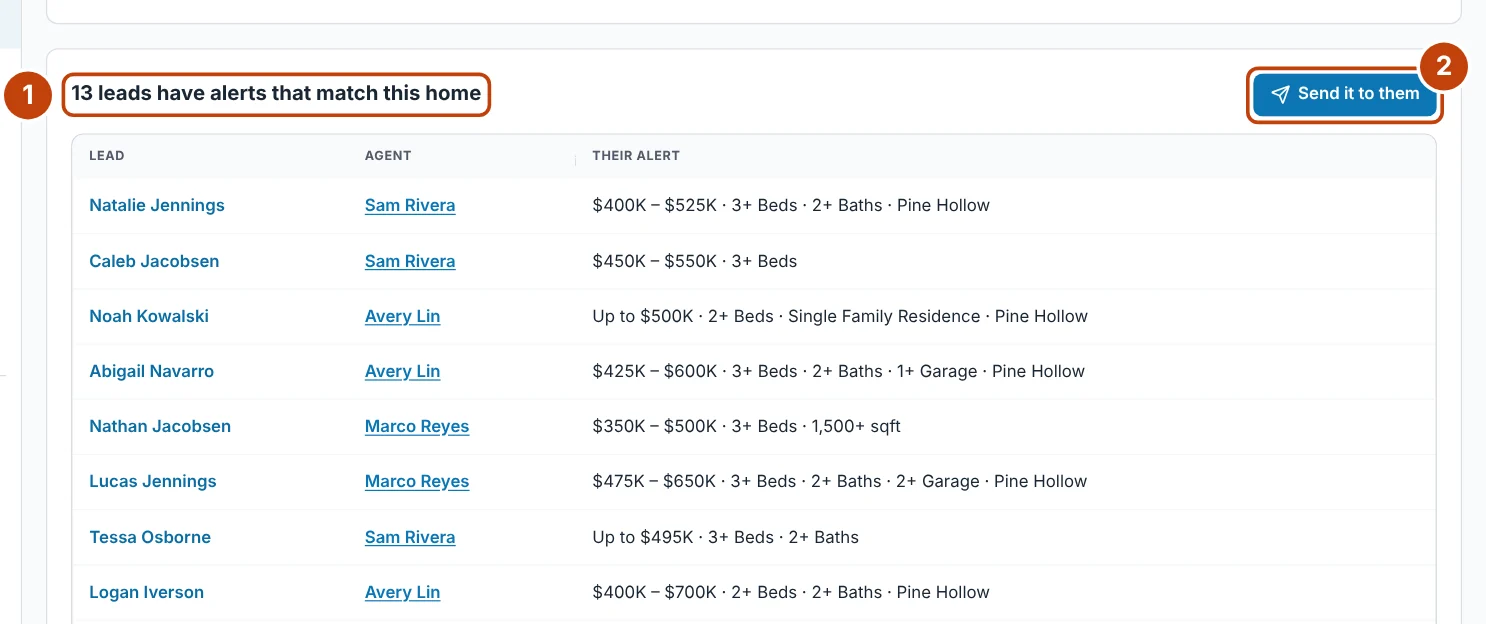
- How many of your leads have listing alerts that match this home, with each lead, their agent and their alert.
- Send it to them emails the listing to every matching lead in one step.
Sharing a listing
From the listing's page you can post it to social media (the post starts filled in with its details, link and photos, on plans with Social Manager), send it to leads by email (anyone who has not agreed to listing emails is skipped), start a CMA on the address, copy its link, or open it on your website.